 How-to
What Does a Logistics Calculator Actually Tell You?
Last Updated: November 6, 2026
Quick Summary
A logistics calculator turns your shipment details into a freight cost estimate before you contact a carrier or forwarder. It converts dimensions, weight, route, and transport mode into a rate estimate in seconds, with no registration required at Freight-Calculator.com. The output is a planning range, not a guaranteed final charge.
- Gather packed dimensions, gross weight, full addresses, transport mode, and cargo type before opening any calculator.
- Density equals gross weight in kg divided by total cubic meters, and it drives freight class.
- Air freight bills the greater of actual weight and volumetric weight, calculated as length times width times height in cm divided by 6,000.
- A 20-foot container holds roughly 28 CBM of usable space, a 40-foot about 58 CBM.
- Reweighs and accessorials cause the largest estimate-to-invoice variances, not the base rate.
Table of Contents
- What a Logistics Calculator Does Before You Talk to Anyone
- What You Need Before You Run the Numbers
- Step by Step: Running a Shipment Through a Calculator
- Using a Free Freight Calculator by Weight for LTL and Parcel Loads
- International Air Freight Cost Calculator: Volumetric Weight Rules
- Sea Freight Calculator Free Tools for LCL and FCL Cargo
- When a Freight Cost Calculator Excel Template Beats an Online Tool
- Why Your Estimate and Your Invoice Rarely Match
- Frequently Asked Questions
What a Logistics Calculator Does Before You Talk to Anyone
A logistics calculator is a tool that turns shipment details into a cost estimate before you contact a carrier or forwarder.
The old way was a waiting game: email a forwarder, wait a day or two, get one number with no breakdown.
The catch: a calculator is only as good as its inputs. Feed it bad measurements and you get a confident, wrong number.
What You Need Before You Run the Numbers
Gather five things before you open any calculator: packed dimensions, gross weight, origin and destination, transport mode, and cargo type. Missing any one forces the tool to guess, and guesses cost money.
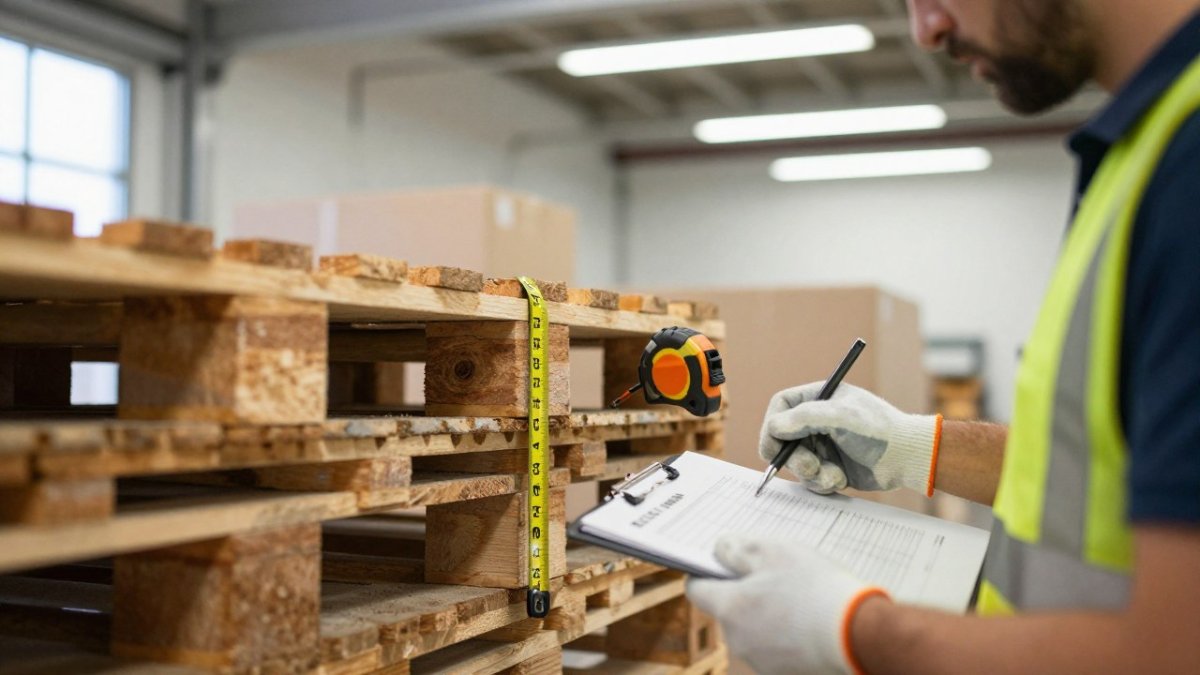
Here is the checklist we recommend:
- Length, width, height of each piece, in centimeters or meters
- Gross weight per piece, in kilograms
- Number of pieces, pallets, or cartons
Measure the shipment as it will actually ship. A pallet wrapped in film is taller than the bare pallet. That extra few centimeters can change your freight class.
Dimensions, Weight, and the Density That Decides Freight Class
Freight density is the weight of a shipment divided by its volume. It is a key factor in determining freight class for LTL loads.
The formula is simple:
Density (kg/m³) = gross weight in kg ÷ total cubic meters
A dense shipment of heavy machine parts prices low per unit. A light shipment of pillows takes the same space but pays more per kilogram, because the carrier sells space, not weight.
Get this wrong and the freight class assigned to your shipment may be wrong, which affects the rate.
Step by Step: Running a Shipment Through a Calculator
Running a shipment takes about five minutes once your data is ready. The order matters: dimensions, then weight, then route, then mode.
- Enter shipment dimensions. Add each piece or use a CBM calculator for multiple cartons.
- Enter gross weight. Use the packed weight, not the product weight.
- Set origin and destination. Include postal codes for accuracy.
- Pick the transport mode. Air, ocean LCL, ocean FCL, LTL, or parcel.
- Add cargo details. Note hazardous goods or special handling.
- Review the breakdown. Check that fuel surcharges and accessorials appear as line items.
- Save or compare. Run the same shipment across two modes to see the gap.
A Worked Example With Real Inputs
Say you are shipping 12 cartons from a supplier to a distribution center. Each carton measures 60 × 40 × 40 cm and weighs 18 kg.
- Volume per carton: 0.6 × 0.4 × 0.4 = 0.096 m³
- Total volume: 0.096 × 12 = 1.152 m³ (about 1.15 CBM)
- Total gross weight: 18 × 12 = 216 kg
That density sits in a mid-range freight class. A dense load like this prices reasonably for LTL.
The worked example in this section uses one set of carton inputs to produce the volume, weight and density figures below.
| Item | Value | Note |
|---|---|---|
| Cartons | 12 | Each 60 × 40 × 40 cm and 18 kg |
| Volume per carton | 0.096 m³ | 0.6 × 0.4 × 0.4 |
| Total volume | 1.152 m³ | About 1.15 CBM |
| Total gross weight | 216 kg | 18 × 12 |
| Density | 187.5 kg/m³ | 216 ÷ 1.152 |
| Dimensional weight per carton | 16 kg | 60 × 40 × 40 ÷ 6,000 |
Using a Free Freight Calculator by Weight for LTL and Parcel Loads
A free freight calculator by weight works best for LTL and parcel shipments where weight and density drive the price.
For LTL, the calculator weighs your density against freight class tables. For parcel, weight-based calculations generally compare actual weight to dimensional weight.
Watch out: LTL rates often exclude liftgate, inside delivery, and residential surcharges. If you ship partial loads regularly, our guide to Less-Than-Container-Load shipping explains how cubic-meter pricing and LCL fees stack up.
International Air Freight Cost Calculator: Volumetric Weight Rules
An international air freight cost calculator prices your shipment by volumetric weight when the cargo is light for its size.
A common volumetric formula used in air freight is:
Volumetric weight (kg) = length × width × height in cm ÷ 6,000
Compare that to actual weight and the carrier bills the higher figure. A carton measuring 60 × 40 × 40 cm has a volumetric weight of 16 kg.
Run your air shipment through our air freight calculator to see volumetric weight applied to your own carton sizes.
Sea Freight Calculator Free Tools for LCL and FCL Cargo
A sea freight calculator free of charge handles two very different products: LCL, where you buy space in a shared container, and FCL, where you book the whole box.
LCL pricing runs on cubic meters, with a minimum charge that often makes small shipments expensive per unit.
The break-even point matters, and comparing LCL and FCL pricing on the same lane before booking is worthwhile. Our container shipping rates calculator lets you price 20-foot and 40-foot options side by side.
When a Freight Cost Calculator Excel Template Beats an Online Tool
A freight cost calculator Excel template wins when you need to model many shipments at once, keep an audit record, or apply your own pricing logic. Online tools are faster for one-off quotes; spreadsheets suit repeatable, documented pricing where you control every assumption.
Use Excel when you:
- Quote dozens of lanes every week
- Need a version you can share, version, and audit
- Want to add your own markup or landed-cost formula
Use an online calculator when speed matters and you need live carrier rates. Many teams use both a spreadsheet for planning and a live tool for quoting.
What a Useful Template Actually Contains
A template that only multiplies weight by a rate is not a logistics calculator; it is a guess with formatting. A working template has five layers:
- Input sheet, one row per shipment with columns for pieces, length, width, height, gross weight, origin ZIP, destination ZIP, mode, and cargo type. Lock the units so nobody mixes inches and centimeters.
- Calculation sheet, formulas for volume, density, dimensional weight, and chargeable weight. Keep these separate from the input so you can audit them.
- Rate sheet, base rates by lane and mode, fuel surcharge percentage, and accessorial fees. Date-stamp every rate update.
- Output sheet, estimated cost per shipment, cost per kilogram, and cost per cubic meter so you can compare lanes on a like-for-like basis.
- Assumption log, a short table recording what the estimate excludes, such as duties, detention, or peak-season surcharges.
The Formulas to Build First
These are the core calculations most templates need. Build them once and reference them everywhere.
- Volume per piece (m³): length × width × height in meters
- Total volume (CBM): volume per piece × number of pieces
- Density (kg/m³): total gross weight ÷ total volume
Keep a "rate per hundredweight" column for LTL, since many tariffs are quoted that way. Convert kilograms to pounds before multiplying if your rate sheet is in pounds.
Watch out: Excel will happily calculate a negative or zero density if a dimension cell is blank, and that error can flow into every downstream quote.
A Worked Template Example
Take the same 12-carton shipment used earlier: each carton 60 × 40 × 40 cm, 18 kg, total 1.152 CBM and 216 kg.
- Density: 216 ÷ 1.152 = 187.5 kg/m³
- Dimensional weight per carton: 60 × 40 × 40 ÷ 6,000 = 16 kg
- Chargeable weight for air: the greater of 18 kg actual and 16 kg dimensional, so 18 kg per carton, or 216 kg total
If the same cartons weighed only 10 kg each, the 16 kg dimensional weight would govern and the template should bill 16 kg per carton, not 10, the difference between a template that protects margin and one that quietly loses it.
Where Templates Break Down
Spreadsheets do not update themselves. Fuel surcharges change weekly, accessorial schedules quarterly, and carrier tariffs without notice. A template is only as current as its rate sheet.
Watch out: a template shared across a team can drift into multiple versions with different rates.
For teams shipping at scale, the next step is an API or transportation management system that pulls live rates and writes shipment records automatically.
Why Your Estimate and Your Invoice Rarely Match
Estimates and invoices diverge because a calculator prices the shipment you describe, not the one that actually ships. The gap is rarely one big error; it is usually several small line items excluded, estimated, or changed between quote and delivery.
A transparent breakdown helps you see where the drift comes from. Our guide to understanding international shipping costs walks through the full cost breakdown behind estimate-versus-invoice gaps. Most freight invoices combine five layers:
- Base rate, the linehaul charge for moving the shipment between origin and destination.
- Fuel surcharge, a percentage applied to the base rate that moves with fuel prices, often weekly.
- Accessorials, charges for services beyond dock-to-dock, such as liftgate, inside delivery, residential delivery, appointment scheduling, detention, or reweighing.
- Duties, taxes, and tariffs, on international shipments, customs duties, import taxes, and any applicable tariffs.
- Handling and documentation, terminal handling, customs brokerage, and paperwork fees.
The Common Gaps, and Why They Happen
- Fuel surcharges that move weekly. A quote built on last week's surcharge is already stale. The invoice applies the surcharge in effect on the ship date.
- Accessorials like liftgate or detention. These are triggered by what happens at pickup or delivery, not by what you entered in the calculator. If the driver waits, detention starts.
- Customs duties and tariffs on imports. Duty rates depend on the commodity classification and the country of origin, and they are assessed at import, not at quote.
How to Reconcile an Estimate to an Invoice
Reconciliation is a process, not a single check. A practical workflow:
- Match the shipment record. Confirm the invoice references the same pieces, dimensions, and weight you quoted.
- Compare line by line. Put the estimate and invoice side by side and mark every line that is new, higher, or lower.
- Check the surcharge date. Confirm the fuel surcharge applied matches the ship date, not the quote date.
- Verify accessorials against the bill of lading. If a liftgate charge appears, confirm the service was requested and performed.
- Review any reweigh or reclass. Ask for the terminal's measurement record if the billed weight or class differs from what you declared.
- Log the variance. Record the difference and its cause so your next estimate is closer.
The largest variances usually come from reweighs and accessorials, not the base rate. That is why measuring the packed shipment and confirming service requirements before booking matters more than shopping for a slightly lower base rate.
What a Calculator Can and Cannot Promise
A calculator can give you a planning estimate, a range, and a mode comparison.
Watch out: treating a calculator output as a firm quote can lead to underbudgeting, especially on international shipments where duties and brokerage sit outside the freight rate.
Use the calculator to narrow the range, then confirm the assumptions that drive the biggest variances: packed dimensions, service requirements, and the surcharge date.
The gap between estimate and invoice is the number one frustration shippers raise with us.
Frequently Asked Questions
What information do I need to use a freight calculator?
You need the shipment's packed dimensions (length, width, height), gross weight, origin and destination, and the transport mode you intend to use. For international moves, add the commodity type and whether the cargo is loose or palletized. Measure the final packed shipment rather than the product alone, because cartons and pallet overhang change cubic volume and density. Missing or guessed inputs are the most common reason a logistics calculator returns a figure that later shifts.
How is air freight cost calculated by weight and volume?
An international air freight cost calculator compares gross weight against volumetric weight, which is cubic volume divided by a dimensional factor set by the carrier, and charges on whichever is higher. A light, bulky shipment therefore pays for space rather than mass. Divide the cubic centimeter total by the applicable factor to get volumetric weight in kilograms, then compare. If volumetric weight wins, that number drives the rate.
Are online freight calculators free to use?
Many are, including registration-free options that return a rate estimate without an account. Free access usually covers the estimate only. Booking, documentation, and coordination sit outside the calculator. A sea freight calculator free of charge still gives you a planning number you can compare across routes and sailing schedules, which is enough to budget before you commit to anything.
What costs may not be included in a freight estimate?
Calculator output typically covers base freight and may include fuel surcharges, but duties, customs brokerage, terminal handling, demurrage, and destination charges often sit outside the number. Treat any estimate as a starting point and confirm the all-in landed cost, including import fees, before you book.